WattBar
Real-time power monitoring for macOS. Track watts, battery percentage, system load, and detailed power metrics—all from your menu bar.
Key features
Power telemetryLive power metrics
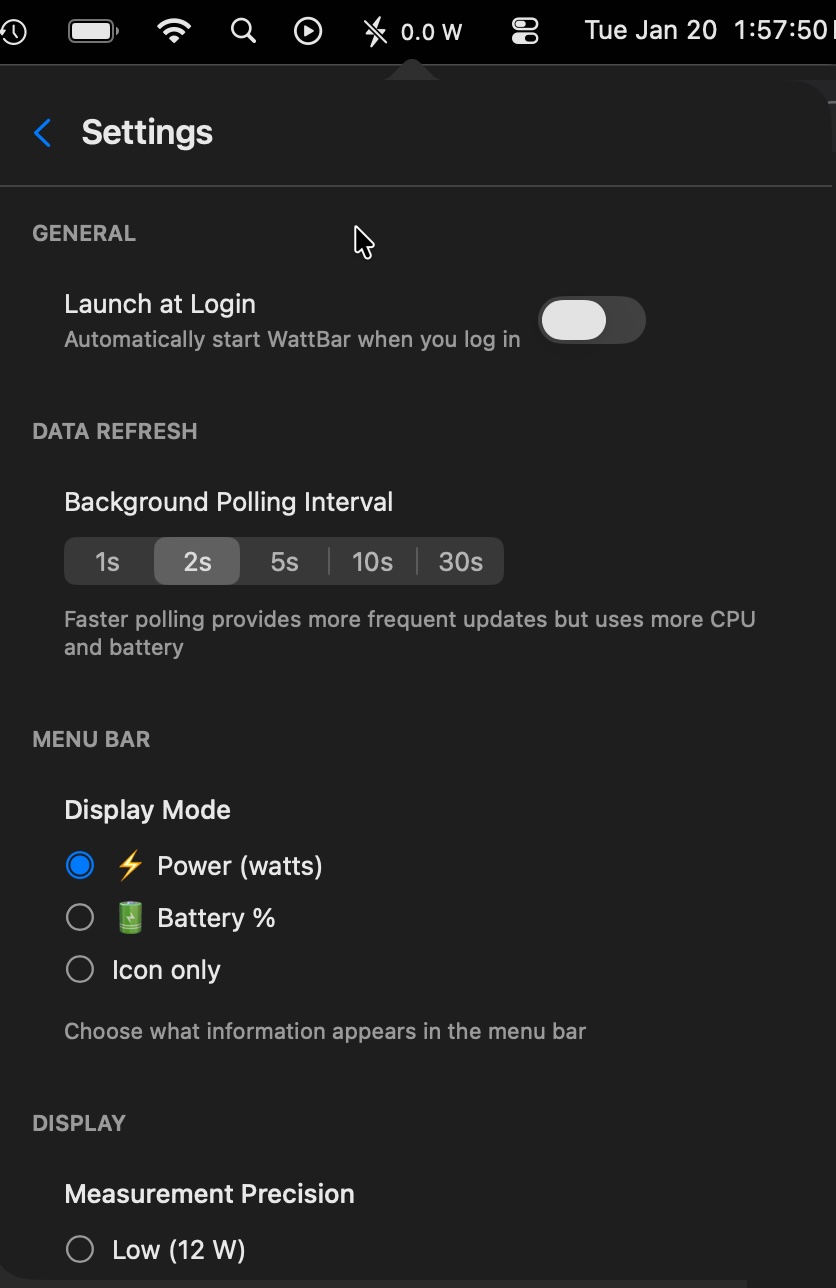
Display current power in watts or battery percentage directly in your menu bar. Choose between detailed metrics or icon-only mode.
Configurable polling
Adjust background polling intervals from 1-30 seconds. Balance update frequency with CPU and battery usage based on your needs.
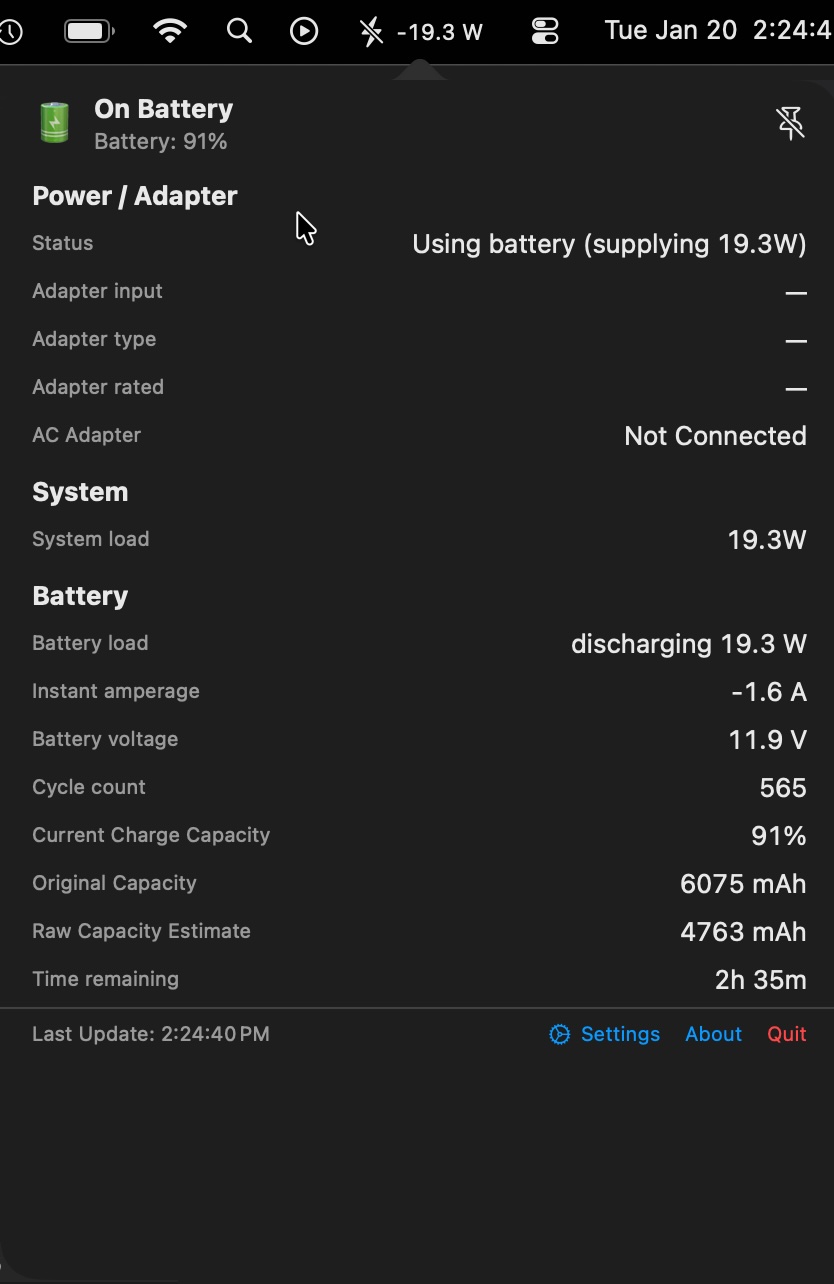
Comprehensive details
Access system load, battery health, voltage, cycle count, capacity estimates, and time remaining—all in one detailed view.
Why WattBar?
TransparencyOptimize & understand
Identify power-hungry applications and processes. Make informed decisions about your computing habits. Optimize battery life on MacBooks or reduce energy costs on desktops.
Lightweight & efficient
Minimized impact on system resources. Menu bar placement keeps power data accessible without getting in your way. Simple, efficient, and powerful.
Privacy policy
LinkYour data stays private. WattBar monitors power metrics locally on your Mac—no data collection, no tracking, no accounts required.