Find, identify, and verify
Start with Add device, choose the brand, model, or manufacturer app you recognize, then scan nearby. The setup flow checks for fresh telemetry before treating the connection as verified.
Monitor compatible Bluetooth batteries, battery banks, and power systems from one read-only dashboard. Move from live system totals and estimated runtime to individual battery readings, cell voltages, history, and optional Power Map locations.
Explore realistic sample systems in Demo Mode before connecting hardware. BMS Monitoring Suite does not expose controls for changing device settings.
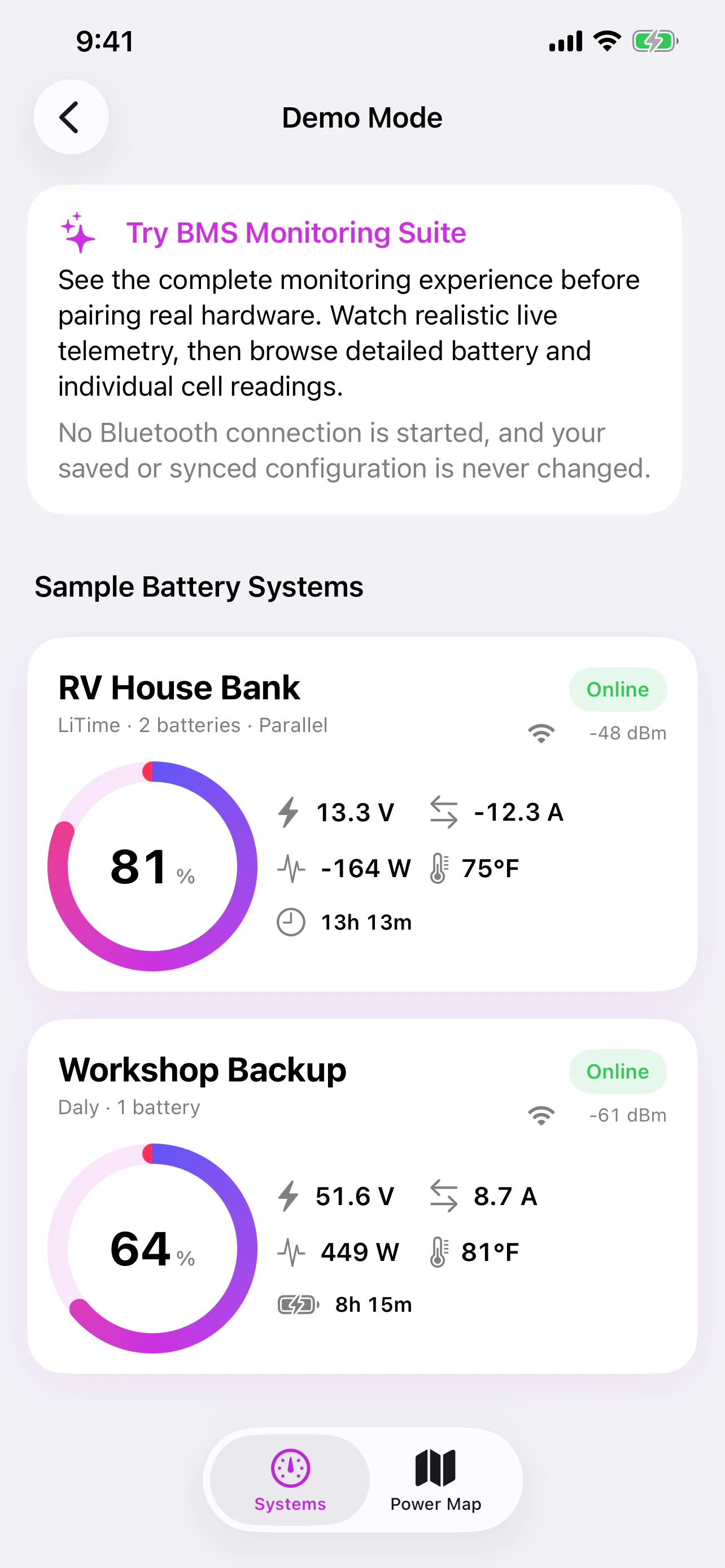
See the complete system first, then open the readings that matter. Available telemetry depends on the connected hardware.
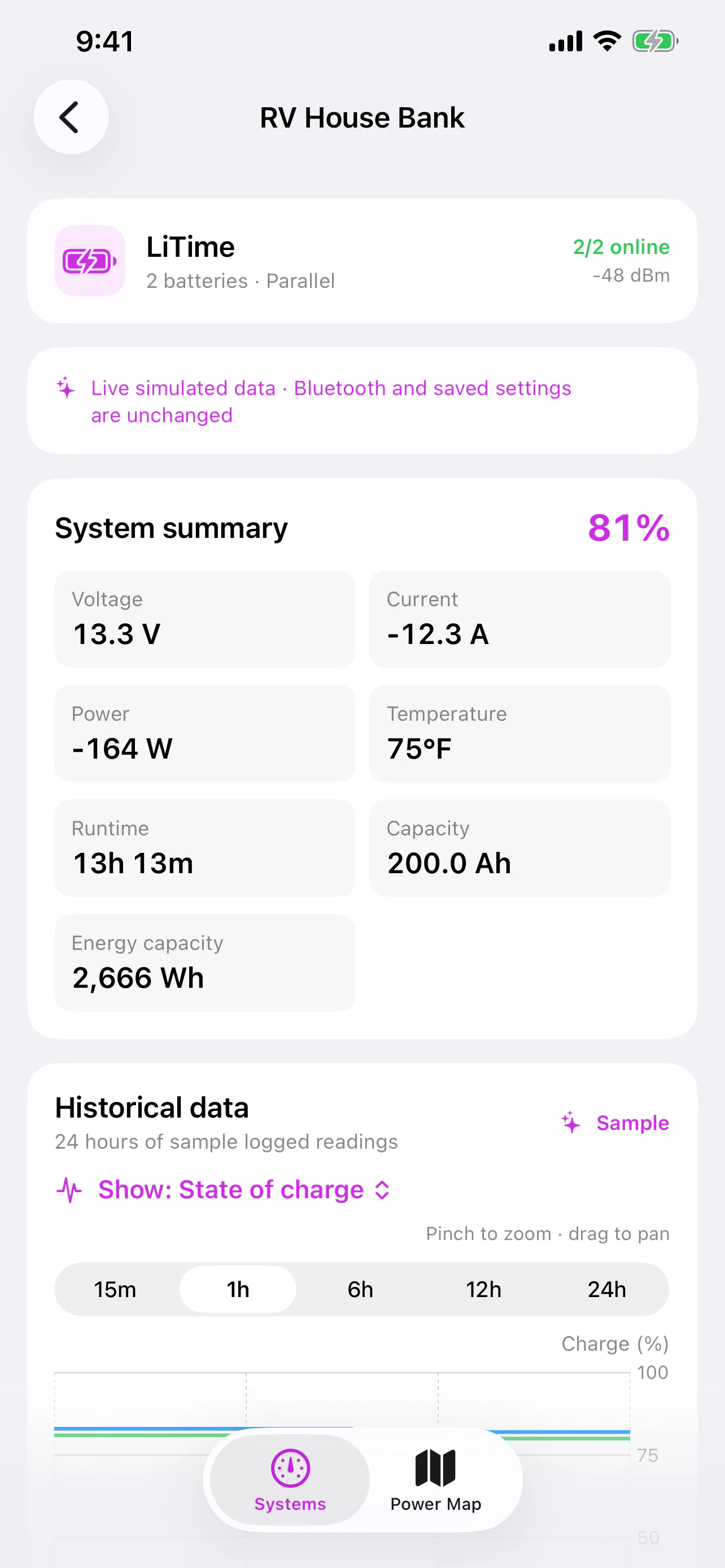
See aggregate charge, voltage, current, power, temperature, capacity, energy, and a load-dependent runtime or charging estimate where the hardware reports enough data.
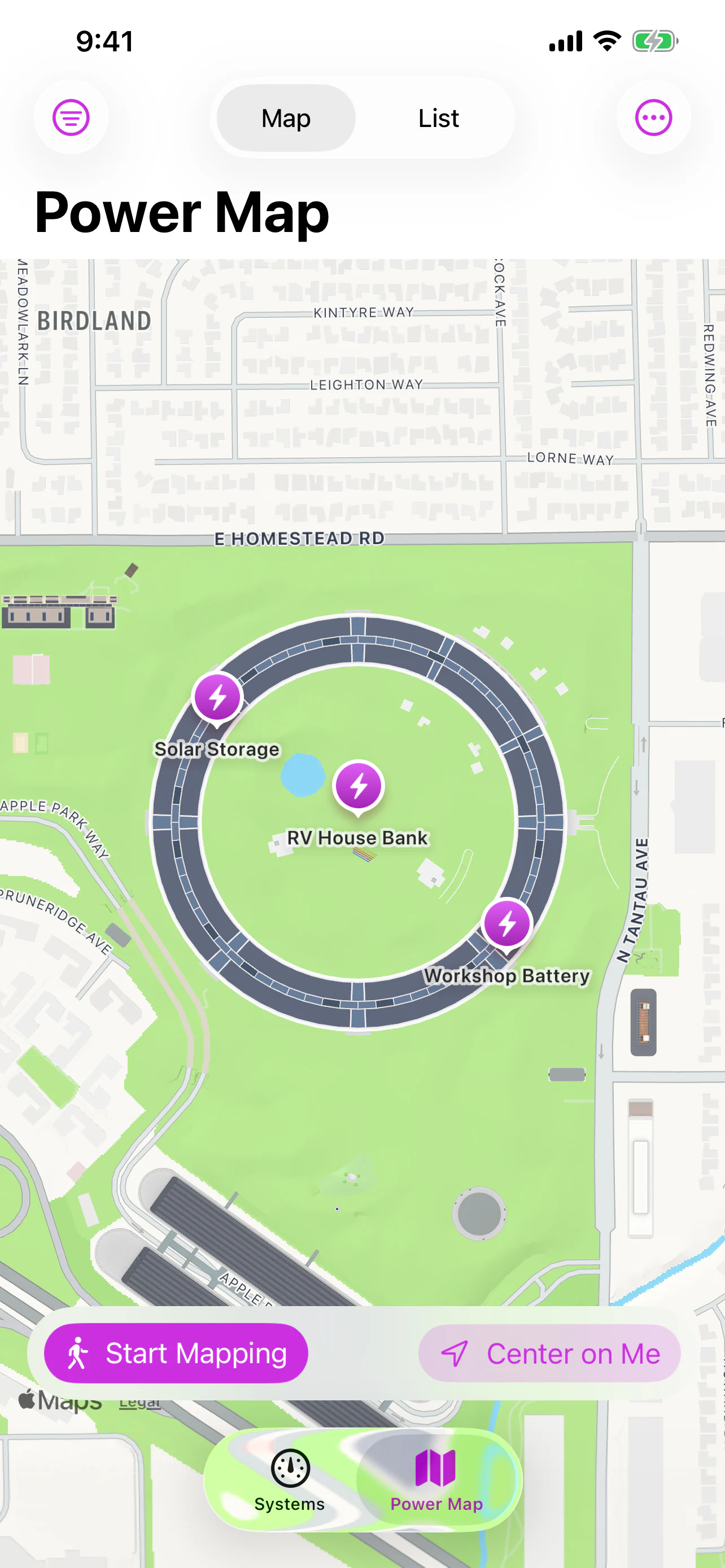
Use optional Power Map to estimate and confirm where systems are located from foreground location and Bluetooth signal observations.
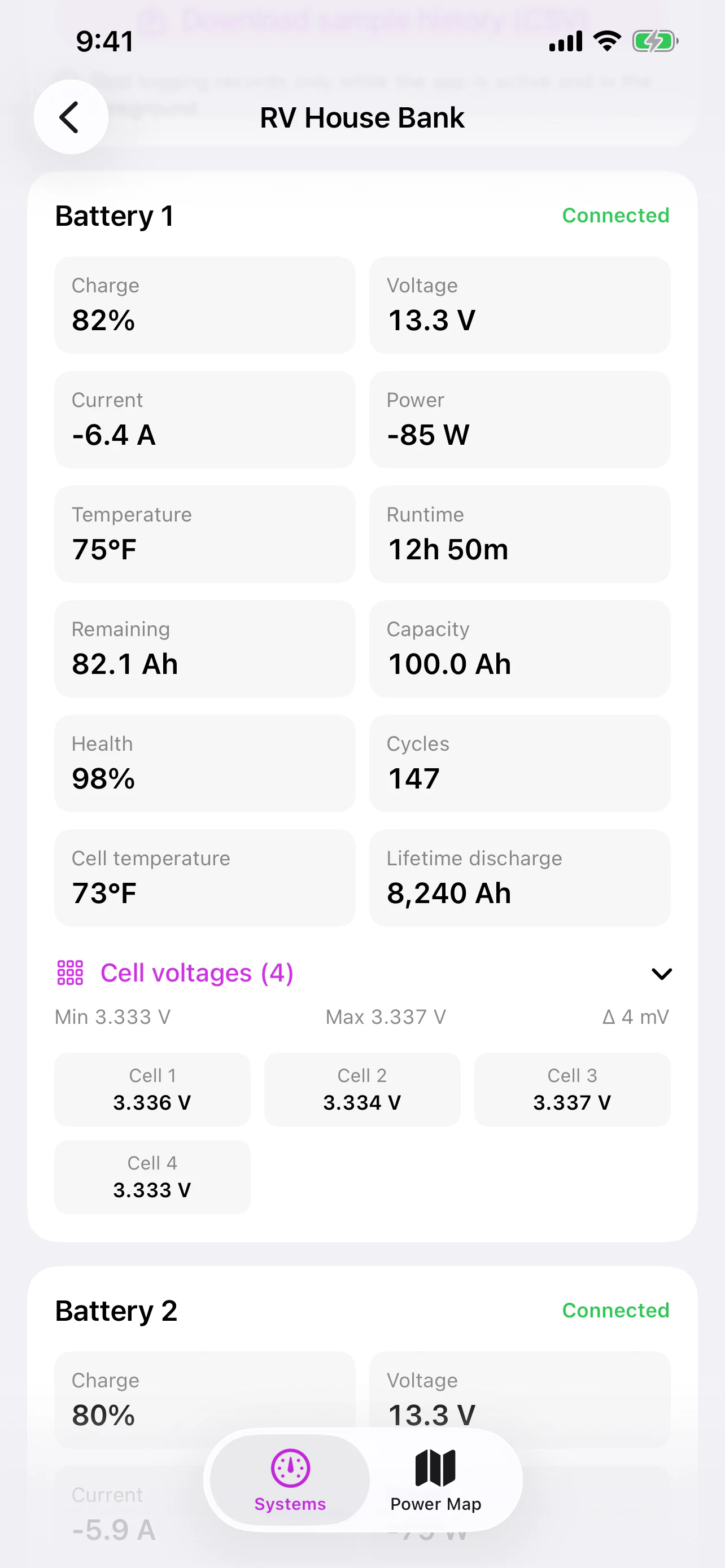
Inspect individual charge, voltage, current, power, temperature, capacity, health, cycle count, and cell voltages when the device provides them.
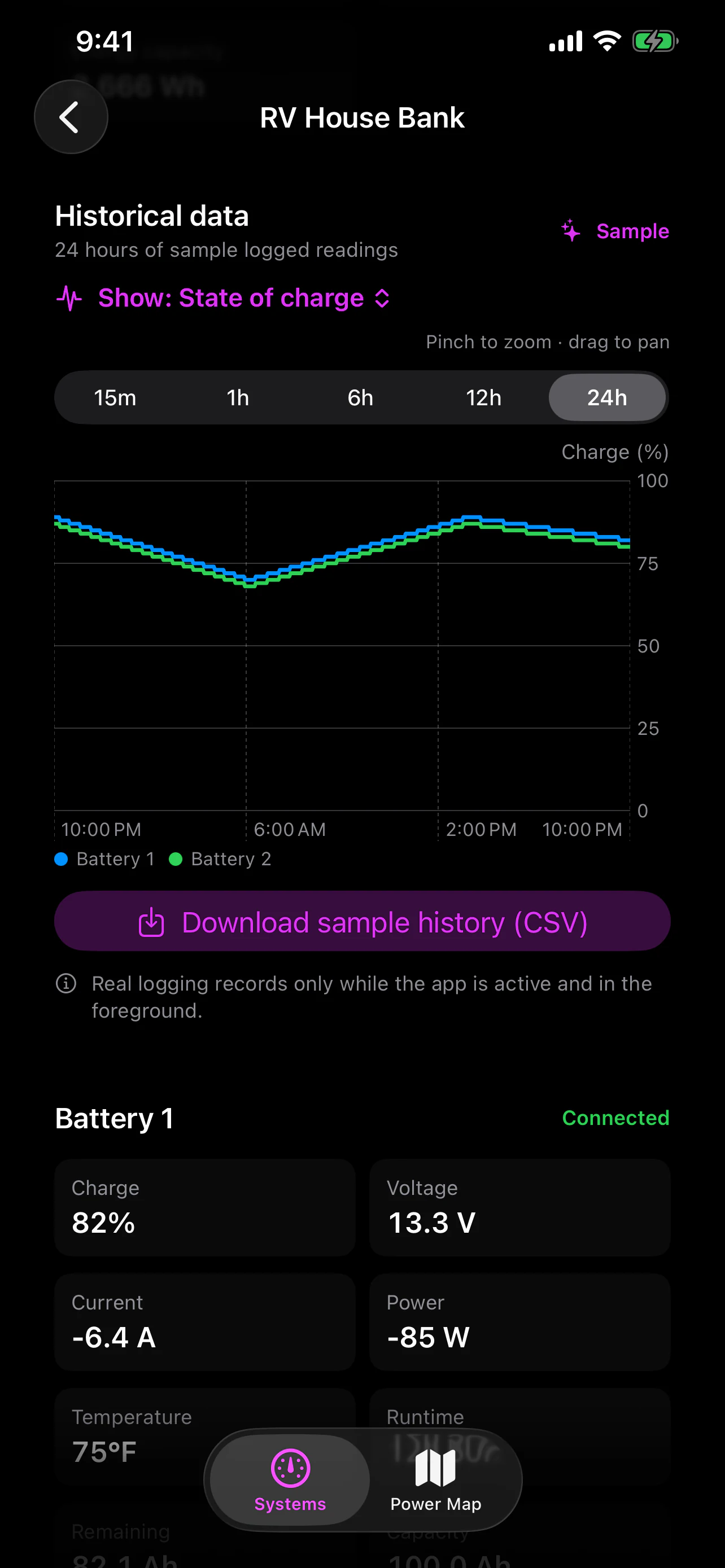
Explore trends from 15 minutes to 24 hours, switch among available measurements, zoom and pan, then export recorded readings as CSV. Logging runs only while the app is active in the foreground.
Start with Add device, choose the brand, model, or manufacturer app you recognize, then scan nearby. The setup flow checks for fresh telemetry before treating the connection as verified.
Start with one battery, then expand the system into a series or parallel bank. BMS Monitoring Suite keeps system totals and each battery's readings close together.
Demo Mode shows realistic live telemetry, runtime estimates, history, battery detail, and individual cell readings without starting Bluetooth or changing saved configuration.
No Oontz account is required. Optional configuration sync uses your private iCloud account; live telemetry, local history, and Power Map data are not synchronized through CloudKit.
Compatibility and telemetry completeness vary by exact model, internal BMS supplier, and firmware. Experimental support verifies what a specific nearby device actually returns instead of assuming compatibility from a brand name alone.
Connect compatible hardware, understand a multi-battery layout, and work through common Bluetooth discovery problems.
Prepare the hardware, add a nearby device, verify fresh readings, and save a useful dashboard.
Work through the most common causes of missing, sleeping, busy, or incorrectly identified Bluetooth batteries.
Understand how battery-bank wiring affects voltage, capacity, current, and the totals shown in a monitoring dashboard.
Discover devices inside BMS Monitoring Suite, not in the Bluetooth page of Settings. Fully close manufacturer apps on nearby phones and tablets because most battery devices accept only one active client.
Historical logging is optional and records only while the app is active in the foreground. It is not continuous background or remote monitoring.
Time remaining is an estimate based on available telemetry and recent conditions. It can change as the load, charging input, battery state, or hardware reporting changes.
BMS Monitoring Suite is a read-only monitoring aid. It does not replace the battery's protection system, electrical safeguards, manufacturer guidance, or professional diagnosis.
BMS Monitoring Suite includes no advertising, developer-operated analytics, or third-party tracking. Battery telemetry and optional Power Map data stay local, while configuration can sync through your private iCloud account.